10 min
How to Check a New Monitor Before the Return Window Closes
Dead pixels, backlight bleed and IPS glow are three different things with three different verdicts. Here is what to check, and what counts as a defect.
You unpack a new monitor, run a test, and find a single pixel stuck on bright green. Can you send it back? Very often the honest answer is: it depends on the return window, not the warranty, because the standard most panels are sold under allows more faulty pixels than most buyers would guess.
8 min read · updated 21 September 2026 · links to 6 tools
Every pixel on an ordinary LCD is made of three sub-pixels, red, green and blue. The pixel fault standard sorts faults into three types, and the type matters because the allowances are different.
| Type | What you see | Common name |
|---|---|---|
| Type 1 | A pixel always lit, usually white, visible on a black screen | Bright or hot pixel |
| Type 2 | A pixel always off, black on a white screen | Dead pixel |
| Type 3 | One sub-pixel stuck on or off, showing as a red, green or blue dot | Stuck pixel |
The classes come from ISO 13406-2, published in 2001, which was withdrawn and replaced in 2008 by parts of ISO 9241, including ISO 9241-307, with the same class scheme. Each class sets a maximum number of each fault type per million pixels, and a separate limit on clusters, where several faults sit close together.
| Class | Type 1 (bright) | Type 2 (dark) | Type 3 (sub-pixel) | Clusters of type 1 or 2 | Clusters of type 3 |
|---|---|---|---|---|---|
| I | 0 | 0 | 0 | 0 | 0 |
| II | 2 | 2 | 5 | 0 | 2 |
| III | 5 | 15 | 50 | 0 | 5 |
| IV | 50 | 150 | 500 | 5 | 50 |
Because the allowance is per million pixels, the same class permits more faults on a higher-resolution screen. The table applies the class II limits to common resolutions. The standard itself does not say how to round a fractional result, so the figures are shown to one decimal place.
| Resolution | Pixels | Bright (type 1) | Dark (type 2) | Sub-pixel (type 3) |
|---|---|---|---|---|
| 1920 × 1080 | 2,073,600 | 4.1 | 4.1 | 10.4 |
| 2560 × 1440 | 3,686,400 | 7.4 | 7.4 | 18.4 |
| 3440 × 1440 | 4,953,600 | 9.9 | 9.9 | 24.8 |
| 3840 × 2160 | 8,294,400 | 16.6 | 16.6 | 41.5 |
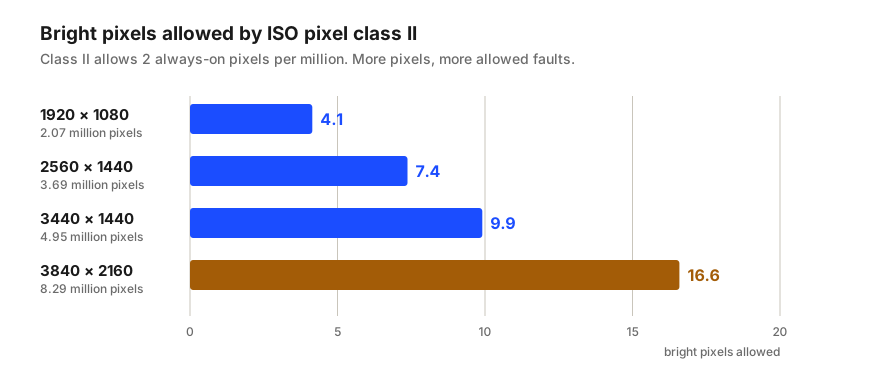
The standard is a floor, not a promise, and each manufacturer publishes its own pixel policy, often different for different product lines. Dell is a clear example: its ordinary monitors follow industry norms, while models covered by its Premium Panel Exchange are replaced during the warranty for even one bright pixel or bright sub-pixel.
Look up the policy for your exact model before you rely on a warranty claim. Search the manufacturer's support site for the model number and “pixel policy”, and note whether it counts bright and dark faults differently.
A warranty claim is judged against the manufacturer's pixel policy, which is often close to class II. A return to the shop within its normal return period usually is not: you can often send back a monitor you are unhappy with for any reason. So a single bright pixel that no warranty would cover can still be a perfectly good reason for a return in the first days.
That makes the first day the most important time to test. Check every new monitor as soon as it is set up, and keep the box until you have.
Dead pixels, backlight bleed and IPS glow are three different things with three different verdicts. Here is what to check, and what counts as a defect.
A screen's diagonal hides its shape. Width, height, area and pixel density for 24" to 49" monitors, and why a 34" ultrawide has less area than a 32".